Getting Started
POSGGym Agents provides a collection of policies for various POSGGym environments. This includes handcrafted policies based on heuristics, as well as policies represented as neural networks and trained using reinforcement learning. The main goal of POSGGym Agents is to save users time and effort by providing a set of policies that can be used for repeatable evaluation as well as for use within algorithms.
The API for POSGGym agents is based on the POSGGym Environment API and hence the Gymnasium API, so it should hopefully feel quite familiar and intuitive.
Main Concepts
Before we dive into the API and examples there are a couple of concepts to explain:
Agent vs Policy
Firstly, we want to distinguish between an Agent and a Policy. An agent is a specific actor within an environment and is identified by a unique agent_id within the environment (i.e. one of env.possible_agents). While a policy is a mapping from a sequence of actions and observations to the next action. A key thing to note is that for any given environment each agent can have many, sometime infinitely many, possible policies. Conversely, a policy may be specific to an agent, or may be used for multiple different agents within the same environment, depending on the environment’s properties. In this way it can be possible to use the same policy for multiple different agents within the same environment and at the same time.
Generic vs Environment Specific Policies
Generic policies are policies that can be used with any POSGGym environment, while environment specific policies are designed to work with only specific environments. Another thing to note is that some environment specific policies can work for all versions of an environments (i.e. with all values for the different environment parameters such as size, number of agents, etc), while others are designed for the environment with specific perameter settings.
Initializing an Agent’s Policy
Now we have some of the background out of the way, lets go over how to initialize a policy from POSGGym Agents library for an agent. Initializing a policy is very easy in POSGGym Agents and can be done via the make function (identical to the POSGGym Environment and Gymnasium APIs):
import posggym.agents as pga
policy_0 = pga.make("Random-v0", env.model, '0')
The pga.make function takes as input the policy ID, the environment model, and the ID of the agent the policy is for, and returns a posggym.agents.Policy class instance that can then be used to interact with an an environment. Here we initialize the Random-v0 policy for agent 0. See here for more on initializing an environment.
Policy IDs explained
Each policy that comes with POSGGym Agents has a unique ID, which consists of four parts. Here we explain them with the example policy ID PursuitEvasion-v0/grid=16x16/klr_k1_seed0_i0-v0:
env_id- the ID of the environment the policy is for:PursuitEvasion-v0env_args_id- a string representation of the environment arguments used in the version of the environment the policy is for:grid=16x16policy_name- the name of the policy:klr_k1_seed0_i0andklr_k1_seed0_i1version- the version of the policy:v0
The env_id and env_args_id may be omitted depending on the policy. If the policy is generic (e.g. the Random-v0 policy works for any environment) then both the env_id and env_args_id can be omitted. While if the policy is environment specific, but works for all variations of the environment or the environment has only a single variation (it doesn’t have any parameters) then the env_args_id can be omitted (e.g. PursuitEvasion-v0/shortestpath-v0).
To see all available policies you can create use pga.pprint_registry() or see the Agents section of this documentation which has a list of policies for each environment, organized by environment type.
Using an Agent to Interact with an Environment
Once a policy is initialized it can be used to interact with the environment using the policy’s reset and step functions. The reset function simply resets the policy to it’s initial state, while the step function accepts an observation and returns the next action.
Here’s an example using one of the K-Level Reasoning policies in the PursuitEvasion-v0 environment:
import posggym
import posggym.agents as pga
env = posggym.make("PursuitEvasion-v0", grid="16x16")

policies = {
    '0': pga.make("PursuitEvasion-v0/grid=16x16/klr_k1_seed0_i0-v0", env.model, '0'),
    '1': pga.make("PursuitEvasion-v0/grid=16x16/klr_k1_seed0_i1-v0", env.model, '1')
}

obs, info = env.reset(seed=42)
for i, policy in policies.items():
    policy.reset(seed=7)

for t in range(100):
    actions = {i: policies[i].step(obs[i]) for i in env.agents}
    obs, rewards, termination, truncated, all_done, info = env.step(actions)

    if all_done:
        obs, info = env.reset()
        for i, policy in policies.items():
            policy.reset()

env.close()
for policy in policies.values():
    policy.close()
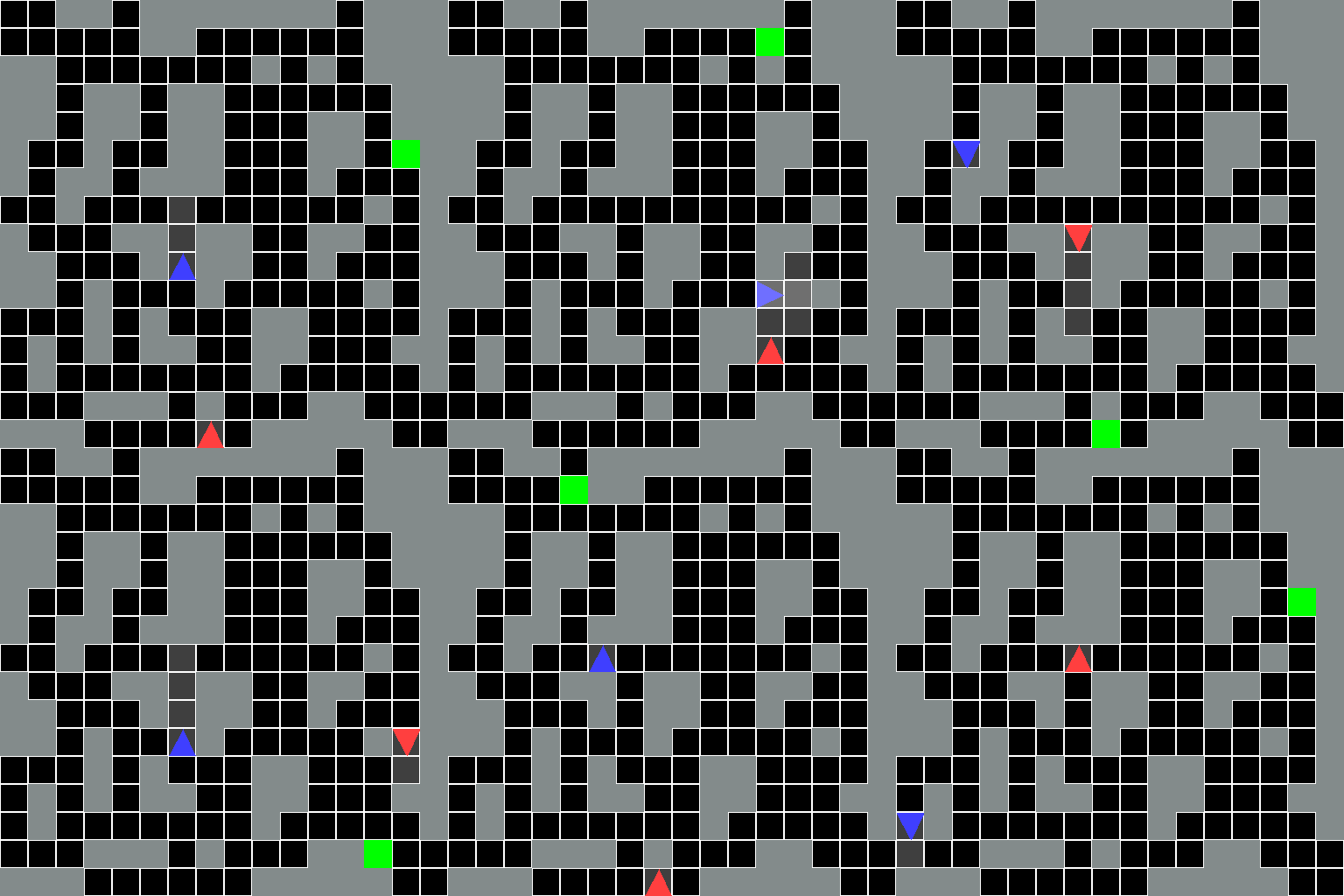
The output should look something like this:
Explaining the code
First, an environment is created using posggym.make with an additional keyword argument grid="16x16" that configures the environment so it is the same as what the policies were designed for. In this example, we use the "PursuitEvasion" environment involving two agents: an evader (agent 0) and a pursuer (agent 1). The evader (red triangle) is trying to reach the goal location without being spotted by the puruser, while the pursuer is trying to spot the evader before they escape.
After initializing the environment we create the policies for each agent using pga.make, as described in the above section.
Now that the environment and policies are initialized, we reset the environment to get the first observation for each agent, as well as reset each policy to it’s initial state. We initialize the environment and policies with a particular random seed using the seed arguments.
Next we use the step function for each policy to get the action for each agent given the latest observation. These actions are then passed to the environment’s step function to generate the next observations, rewards, etc. This agent-environment interaction loop then continues until the environment reaches a terminal state, at which point the environment and policies are reset and a new episode begins.
Finally, after the specified 100 steps have been executed in the environment, the environment and policies are cleaned-up using their close method. This may not always be necessary, depending on the specific environment/policy, but it is good practice to do.
Additional Agent Policy Methods
The POSGym Agents Policy class comes with some additional methods allowing finer control of the policy, for example for use in planning. Checkout the Policy API documentation for a full list of these methods.